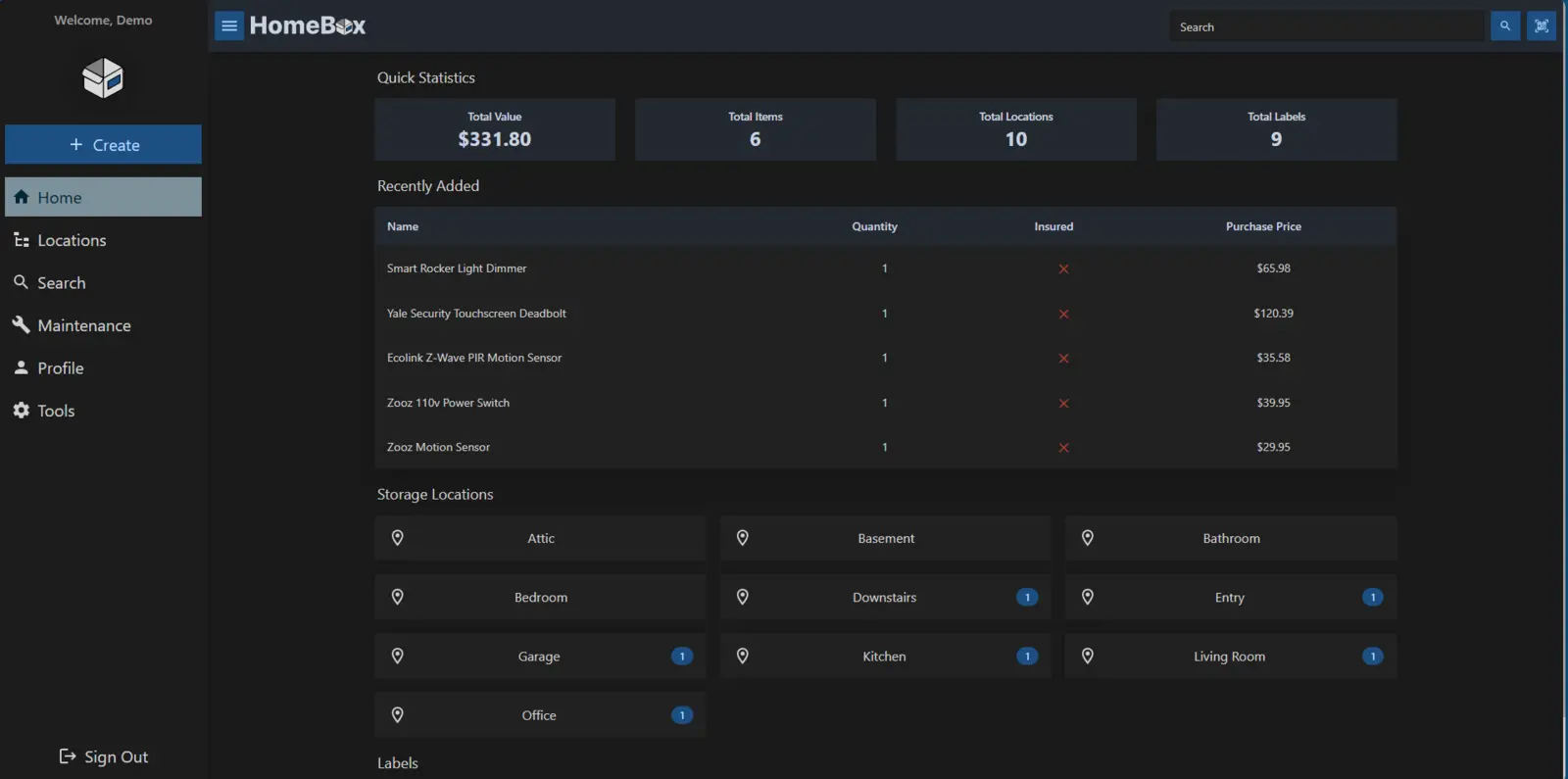
HomeBox is a self-hosted home inventory. It records where possessions live, what they cost, when warranties end, which receipts belong to them and what maintenance is due—without storing the household's serial numbers and documents in a subscription app.
The first useful inventory can be smaller than the whole house
Our test started with one Living Room location and one Samsung television. HomeBox accepted a purchase price of 219.90, the purchase date, model and serial number, warranty expiry in 2028 and a note about the warranty. Search found the television immediately after it was saved.
That small test is a better starting model than spending a weekend cataloguing every spoon. Begin with possessions whose loss, failure or warranty claim would be expensive: computers, cameras, appliances, tools, jewellery and anything with a serial number or receipt worth preserving.
HomeBox makes the record structured enough to search and export, while remaining flexible. Locations can be nested, tags can cross room boundaries and custom fields can capture details the built-in form does not anticipate.
- Software cost
- Free
- Primary database
- SQLite
- Tested release
- 0.26.2
Locations answer “where is it?”; details answer “which one?”
An item can belong to a room, cupboard, box or another location in the hierarchy. That is useful during a move and ordinary life: searching for a charger is easier when the result says Living Room cabinet rather than merely confirming that the household owns one.
The database will become tedious if every field is treated as mandatory. Record the few facts that change a real decision. A serial number helps with an insurance report; the colour of an ordinary extension lead probably does not.
Receipts and warranties become part of the item—not another folder
We uploaded a small PDF receipt and attached it to the television. The server accepted it, kept it with the item and restored it with the copied data directory. That link between the object and its evidence is the strongest reason to use HomeBox instead of a simple spreadsheet.
Warranty dates and notes can sit beside purchase details, so the next repair decision does not begin with an inbox search. HomeBox can also record documents and photographs, though a readable scan of the original receipt remains more valuable than a beautifully completed form with no evidence attached.
Keep original documents when an insurer, retailer or government authority requires them. HomeBox is an organised household copy, not a guarantee that a claim will be accepted.
Labels help with boxes; maintenance helps with things that stay put
HomeBox generated a valid PNG label for our test item. Labels can connect physical storage to the digital record, which is especially useful for moving boxes, workshop bins and equipment shared by several people. We did not print or scan the test label, so printer sizing and camera behaviour remain unverified.
We also added a task to dust the television vents and check its cables. The maintenance record survived the clean restart. This is useful for filters, batteries, appliances and safety equipment, but it depends on someone opening HomeBox and completing the work. Treat a critical smoke-alarm or medical-equipment deadline with more than one reminder system.
One container and one persistent data folder keep the setup understandable
The official quick start uses Docker and stores HomeBox data under /data/. The project also publishes standalone releases, which is how we ran the test. Docker is the better long-term option for most existing home servers because the application can be updated separately from the persistent database and attachments.
HomeBox is comparatively light—the project reports less than 50 MB of memory while idle—but the real commitment is maintenance rather than hardware. Someone still needs to install updates, protect the data folder and decide how family members reach the service.
- Existing home server or NASFree beyond electricity and storage
- Small VPSAbout $4–6 per month plus backups
- LabelsAn ordinary printer is optional
- Ongoing workNew entries, corrections, updates and restore tests
The complete data folder restored more than the CSV
CSV export worked and included our test item, making it useful for inspection, spreadsheets and a portable list. It is not the same as a full backup. The database, receipt and maintenance history survived because we stopped HomeBox and copied its complete persistent data directory to a clean location before restarting the application against that copy.
For a consistent file-level backup, stop the application before copying the SQLite data or use a backup method designed for a live database. Keep at least one copy away from the server. Then repeat our most important test: start a clean HomeBox instance from the backup and open an attachment, not just the dashboard.
Inventory data can be unusually revealing. Receipts show prices and sellers; serial numbers identify valuable equipment; photographs reveal what is inside the home. Keep the service on a trusted network when possible. Public access needs HTTPS, strong authentication, updates and careful exposure controls.
- Receipts and warranties are scattered
- A move or insurance inventory is approaching
- Tools and equipment are hard to locate
- An existing server already runs Docker
- Nobody will update the records
- A short encrypted spreadsheet is enough
- You only need a photo of one valuable room
- You cannot secure and back up the server
Sources checked September 12, 2026: official repository, official quick-start guide, release 0.26.2 and AGPL-3.0 license.
The NoSub verdict
HomeBox earns its server space when the household has possessions whose documents, maintenance or location genuinely matter. Search, attachments and labels give it clear advantages over a spreadsheet, and the full test record survived restoration from a copied data folder.
Success depends less on installing HomeBox than choosing a sustainable habit. Inventory one room's valuable items, let the household use it for a month and expand only if people actually update the records. A modest current inventory is more useful than an abandoned catalogue of everything.