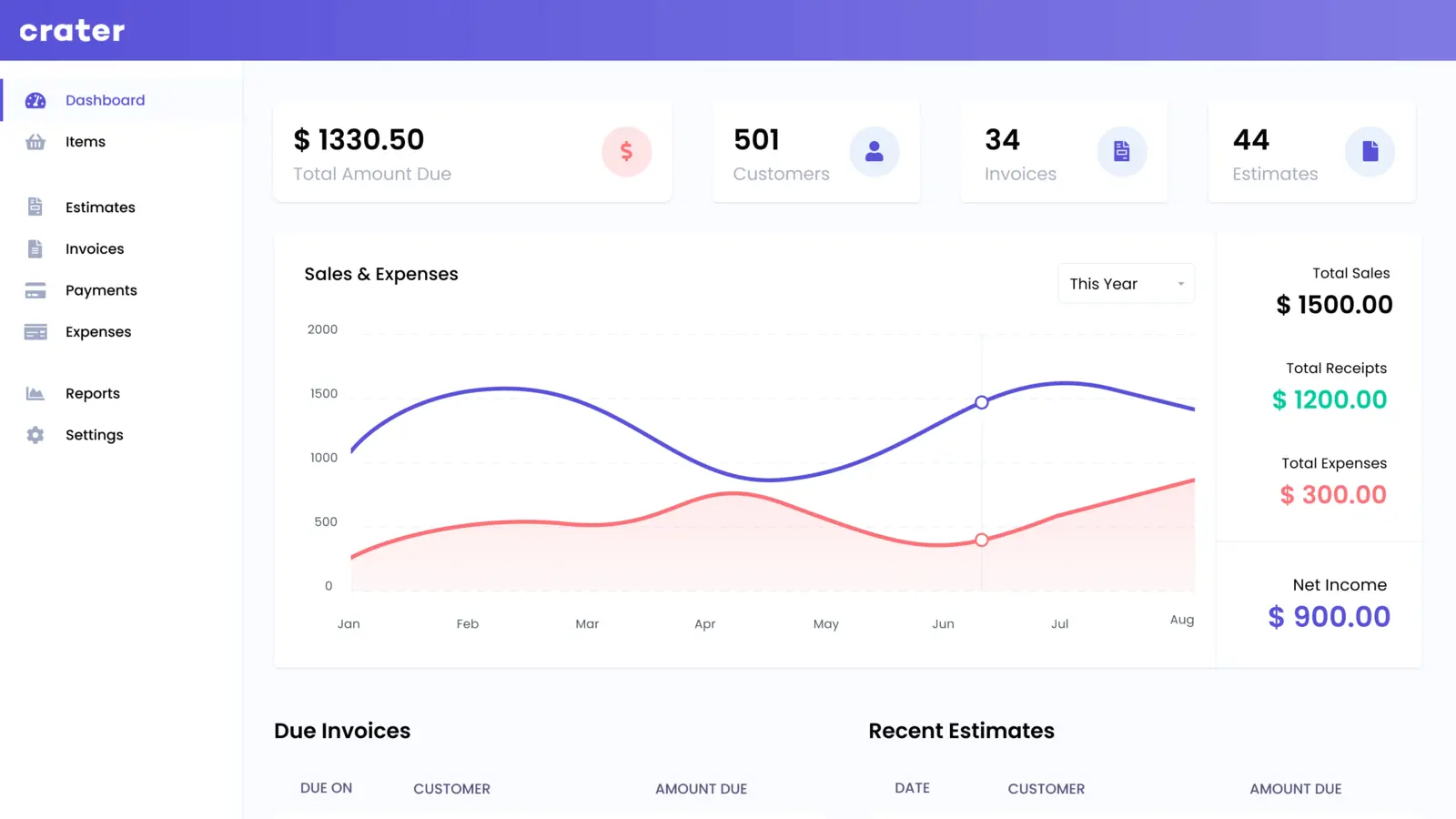
InvoiceShelf is a self-hosted invoicing system for freelancers and small businesses. It keeps customers, estimates, invoices, recorded payments, expenses and reports together without charging for each user or document.
Use the stable 2.x release, not the tempting 3.x preview
InvoiceShelf 2.4.2 is the current stable release. Version 3 adds attractive work around credit notes, customer balances, taxes, PDFs and modules, but the project labels its public 3.0 alpha as a pre-release for evaluation only—not production data. A business invoice archive is the wrong place to volunteer for an alpha test.
Stable 2.4.2 already covers the ordinary path from quote to payment record. It can create customers and reusable items, turn an estimate into an invoice, produce a PDF, email documents, record money received, track expenses and show sales or profit-and-loss reports. It also supports more than one company inside an installation.
- Software cost
- Free
- Recommended deployment
- Docker Compose
- Stable release reviewed
- 2.4.2
The appeal is one connected workflow—not merely a prettier invoice
A Word template can make one good-looking invoice. InvoiceShelf becomes useful when the same customer, products, tax settings and number formats feed every estimate and invoice, while payments and expenses update the dashboard. That reduces repeated typing and keeps a history that can be searched later.
“Payment” needs a qualification. In stable 2.x, it is a record of money received by cash, cheque, card or bank transfer. The current customer-portal documentation explicitly says online payment collection is not supported. InvoiceShelf can show that an invoice was paid; it is not a replacement for a payment gateway or merchant account.
Customer portal access is optional. When enabled for a customer, it gives that person a login where they can see paid, unpaid and overdue invoices and download PDFs. That is more professional than emailing replacement copies repeatedly, but it also turns the installation into a public-facing service holding names, addresses and financial records.
Recurring invoices only help after scheduling and email really work
Repeat invoices can run weekly, monthly, yearly or on a custom schedule, with a count or end date. This suits retainers, rent and predictable service agreements. The schedule does not charge a customer automatically; it creates the next invoice and can send it through the configured mail system.
That makes three pieces important: the server's scheduled job, the company timezone and outbound email. Release 2.4.2 fixed a Docker timezone problem that previously made scheduled work run in UTC. Set the container's TIMEZONE, configure SMTP inside InvoiceShelf and create a near-term disposable recurring invoice before trusting a monthly bill.
Email is also needed for ordinary invoice delivery, password recovery and useful customer notifications. A dashboard that works perfectly in a browser can still fail as an invoicing system if messages land in spam or never leave the server.
The sensible first installation is small, pinned and private
InvoiceShelf's own documentation recommends its separate production Docker repository for most self-hosted installations. The smallest Compose option uses SQLite and one application container. On an existing Ubuntu server or a Compose-capable management panel, that is the best trial for one person: there is no separate database service to maintain, and the database lives inside the persistent storage volume.
Before starting it, change the image from a moving tag to invoiceshelf/invoiceshelf:2.4.2. Set APP_URL to the exact address used in the browser, SESSION_DOMAIN to its hostname and SANCTUM_STATEFUL_DOMAINS to the same host plus its port when required. A mismatch can produce login or redirect problems that look like a broken application.
Trial it on the trusted local network first. Public access needs a dedicated subdomain, HTTPS, a reverse proxy, strong administrator credentials and working backups. Do not publish port 8090 directly to the internet just to make the customer portal reachable.
The default PDF engine, dompdf, needs no extra service. InvoiceShelf's documentation warns that mixed writing systems can render as empty boxes, however. Anyone invoicing customers whose names or addresses use Arabic, Hebrew or Chinese should generate a realistic PDF immediately. The optional Gotenberg container uses Chromium and is the documented solution, but adds another service and more memory use.
- Existing Ubuntu serverFree beyond electricity and storage
- Small VPSAbout $5–10 per month plus backups
- Required for public useDomain, HTTPS and outbound email
- Ongoing workUpdates, restore tests and delivery checks
The invoice archive matters more than the container
InvoiceShelf includes a backup screen that can package the database, stored files or both. Docker's SQLite setup also keeps database.sqlite under /var/www/html/storage/app; the whole storage volume and the separate modules volume persist outside the replaceable application container.
For the starter SQLite installation, protect the complete storage volume rather than copying only the database file and hoping logos, PDFs and attachments exist somewhere else. Keep the Compose configuration and any modules too. A MariaDB or PostgreSQL installation needs its database backed up separately alongside application files.
The built-in backup feature and volume layout are documented, but we did not restore either one. Before entering real customers, make a test company, customer and invoice, create a full backup, restore it into a clean temporary installation and download the recovered PDF. A backup that has never been restored is only a theory.
It is invoicing software, not an accountant or a complete ledger
InvoiceShelf can calculate configured taxes and produce reports from its own records. It does not decide which tax applies, guarantee a legally compliant invoice, reconcile a bank account, run payroll, file a return or replace professional accounting advice. Invoice numbering, currency, tax identifiers, retention periods and credit-note rules still belong to the business and its jurisdiction.
The practical danger is treating a polished dashboard as proof the books are correct. A payment entered twice remains wrong; an omitted expense remains absent; a deleted customer can damage the audit trail. Decide who can edit records, lock down administrator access and reconcile InvoiceShelf against bank and accounting records on a routine schedule.
- You send estimates and invoices regularly
- Monthly invoicing fees feel disproportionate
- An existing server already runs Docker
- You want customers and documents in one private system
- You need integrated online card collection today
- You require bank feeds, payroll or full bookkeeping
- Nobody can maintain a public business service
- Your accountant requires a different approved workflow
Sources checked September 17, 2026: official repository, stable release 2.4.2, production Docker installation, recurring-invoice scheduling, customer portal and payment limitation, PDF engines, backup documentation and AGPL-3.0 license.
The NoSub verdict
InvoiceShelf is a credible step up from editing the same document template every month. Its stable release covers the useful centre of a freelancer's workflow without document limits or per-seat fees, and the official Compose setup makes a cautious SQLite trial realistic on an existing server.
The recommendation is conditional because invoices are business records. Install stable 2.4.2 privately, create a disposable customer and complete the whole loop: estimate, invoice, PDF, email, recurring run, payment entry, expense, backup and clean restore. Only then choose a public subdomain and enter real data.