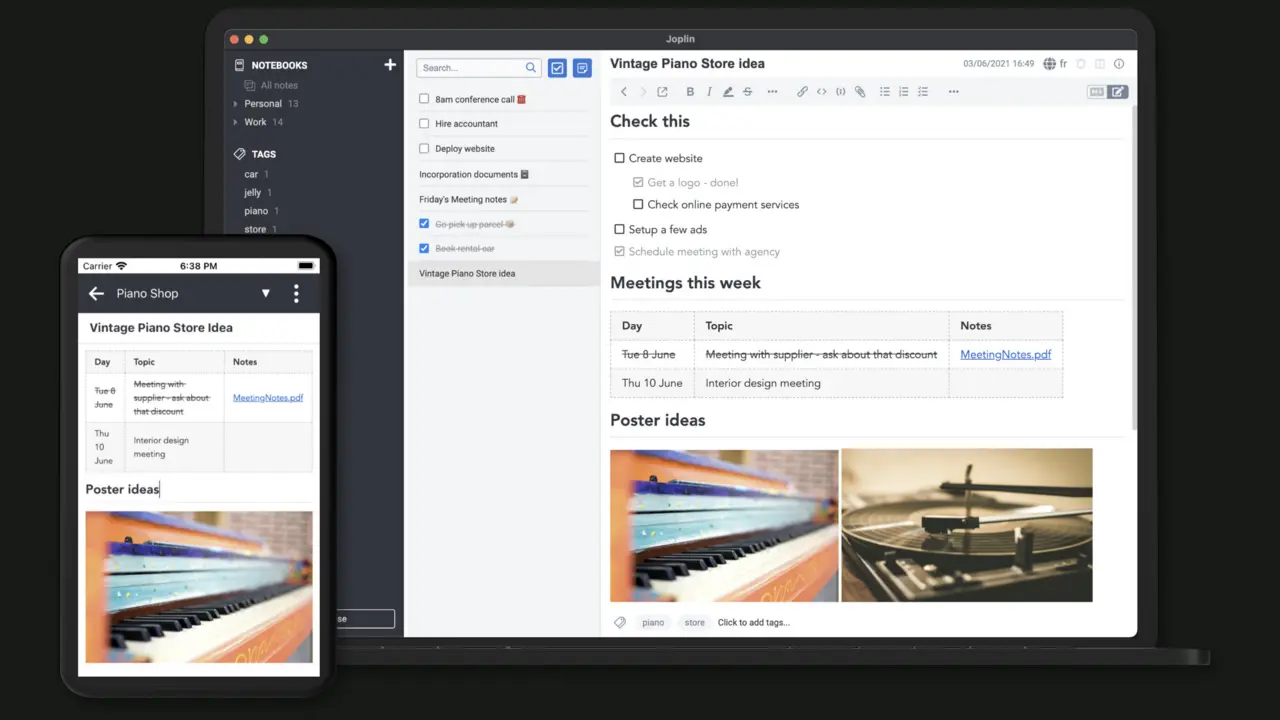
Joplinis a notes app that works before you choose a cloud. Notes are stored locally, remain available offline and can later synchronise through a service you already use—or through Joplin's optional paid cloud.
It handles the useful middle ground between sticky notes and Notion
Joplin organises notes into notebooks and supports attachments, checklists, reminders, tags, full-text search and a browser clipper. It can store images, PDFs, audio and video alongside text. Desktop and mobile apps are available for Windows, macOS, Linux, Android and iPhone.
The editor offers both rich text and Markdown. That flexibility is useful, but a heavily designed page from another notes app will not necessarily keep every font, colour and layout choice after migration.
Sync is a choice, not a requirement
Joplin officially supports Joplin Cloud, Dropbox, OneDrive, Nextcloud, WebDAV, S3 and a local filesystem as sync targets. The app synchronises through those services; Dropbox and OneDrive integrations receive access to a dedicated Joplin app folder rather than the rest of your drive.
The easiest free path for many people is a cloud account they already have. The easiest supported path is Joplin Cloud, but it is optional and paid. Self-hosting Joplin Server is possible, yet it should not be the opening move for someone who only wants notes on a phone and laptop.
- One device, offlineFree and simple
- Dropbox or OneDrive syncFree if storage is already available
- Joplin CloudPaid, simplest sharing and supported sync
- Self-hosted serverMost control, most responsibility
Moving from Evernote is practical, not perfectly cosmetic
Joplin imports Evernote ENEX files, including notebooks, notes, tags, attachments and much of the metadata. Basic formatting and tables usually translate well. The official guide warns that colours, font faces and font sizes can be lost when complex Evernote HTML becomes Markdown; an HTML import option preserves more appearance.
Internal note links are mostly preserved, but Evernote's export format does not always identify their targets clearly. Duplicate note titles can make the conversion guess incorrectly. Import a copy, keep the ENEX export and inspect linked or unusually formatted notes before treating the move as finished.
Encryption protects sync; an export protects you from mistakes
End-to-end encryption is available across Joplin's apps. Enable it on one computer first, let the initial encrypted sync finish, then add other devices one at a time. Joplin cannot recover the master-key password, so store it somewhere safe outside the notes it unlocks.
Synchronisation and backup solve different problems. If an accidental deletion synchronises everywhere, every device can faithfully receive the mistake. Joplin's JEX export is designed as a lossless archive containing notes and metadata, and it can be imported again. Make regular JEX exports and occasionally prove one can be restored.
- Offline access matters
- You want to choose the sync provider
- Search, attachments and checklists cover the job
- You value portable exports
- Live collaborative pages are central
- Exact Evernote styling must survive
- You want sync with no decisions at all
- Your team lives inside Notion databases
Sources checked August 31, 2026: official feature overview, sync documentation, encryption guide and import and export guide.
The NoSub verdict
Joplin is strongest for a person who wants a durable personal notebook, not a miniature company intranet. It gives you a useful local app immediately and lets privacy-conscious readers add encrypted sync without forcing everyone to run a server.
The trade is a little more responsibility: choose a sync target, keep the encryption password and make real exports. For years of personal notes, that is a reasonable price for avoiding another mandatory platform subscription.